The 10 best IT management software tools in 2026
Ten tools, six criteria published up front, and a stated limitation for every one of them — ours included.
Every company past about twenty people has an IT team that has solved the same problem three times and can prove none of them. The request came in over Slack. The server password lives in a shared doc four people can edit. The antivirus contract auto-renewed in May. And the laptop belonging to someone who left in March is still marked in-use on a spreadsheet.
That is rarely a process failure. It is a location failure. Each part of the operation started life in a different tool, and nobody ever got a free quarter to join them up.
IT management software is supposed to be that single location. The trouble is the category grew into an umbrella: help desk, asset inventory, remote endpoint monitoring, contract management and identity governance all sit under the same phrase, and most “best tools” lists shuffle the five together without saying who each one serves. You end up comparing an RMM against a service desk as though they were substitutes.
Every tool below carries a line naming the team it was built for, what it covers without a plugin, how it bills, and where it stops.
What IT management software is
IT management software is the system where a team records and controls what IT runs: the requests coming in from users, the equipment and licences the company owns, the access credentials, the vendor contracts, and the knowledge of how each thing was fixed last time.
In practice the market splits into four families, and the difference between them explains most bad purchases.
- Help desk
- Serves the user: takes the request, gives it an owner, sets a deadline, closes it with a record.
- ITSM
- The help desk with formal process around it — incident, problem, change and a service catalogue, usually following ITIL.
- ITAM
- Looks after the estate: who has which laptop, which licence expires when, how much the company has sitting in IT assets.
- RMM
- Monitors and fixes machines remotely: patching, antivirus, remote access, disk-full alerts.
| Help desk | ITSM | ITAM | RMM | Movitera | |
|---|---|---|---|---|---|
| User request | Covers it | Covers it | Does not cover it | Partly covers it | Covers it |
| Equipment inventory | Does not cover it | Partly covers it | Covers it | Covers it | Covers it |
| Access credential | Does not cover it | Does not cover it | Does not cover it | Partly covers it | Covers it |
| Contract and licence | Does not cover it | Partly covers it | Covers it | Does not cover it | Covers it |
| Recurring task | Partly covers it | Partly covers it | Does not cover it | Covers it | Covers it |
| Documentation and runbooks | Partly covers it | Covers it | Does not cover it | Does not cover it | Covers it |
An in-house IT team usually needs the first three and little of the fourth. A company selling outsourced support needs the fourth above all. Buying the wrong family is the most expensive mistake in this category, because it only shows up six months after signing.
The six criteria
Set before the list, applied the same way to every tool.
- 01
Coverage without a jigsaw
How many of the six operational records — ticket, asset, credential, contract, recurring task and documentation — live in the product without a third-party plugin or a second contract.
- 02
A predictable bill
Whether billing is per agent, per technician or per device, in which currency, and what happens to the number when the company grows 30%.
- 03
Time to first resolved ticket
How much work sits between signing and having a real request running with an owner and a deadline. A tool that needs a two-month implementation project costs more than its list price.
- 04
Security and audit
Where the data lives, whether there is an audit trail of who saw what, and whether access credentials get a real vault instead of a text field.
- 05
Support you can actually reach
Whether support runs in your working hours and whether a real engineer answers, or whether the first two replies are a bot and a help-centre link.
- 06
AI a technician actually uses
Whether the AI does something concrete — classify, draft a reply, find the runbook — and how it is billed: inside the seat, or as a credit pack bought separately.
The 10 tools
Ordered by the criteria above, with each one's intended buyer stated.
Movitera
Origin: BrazilBest for
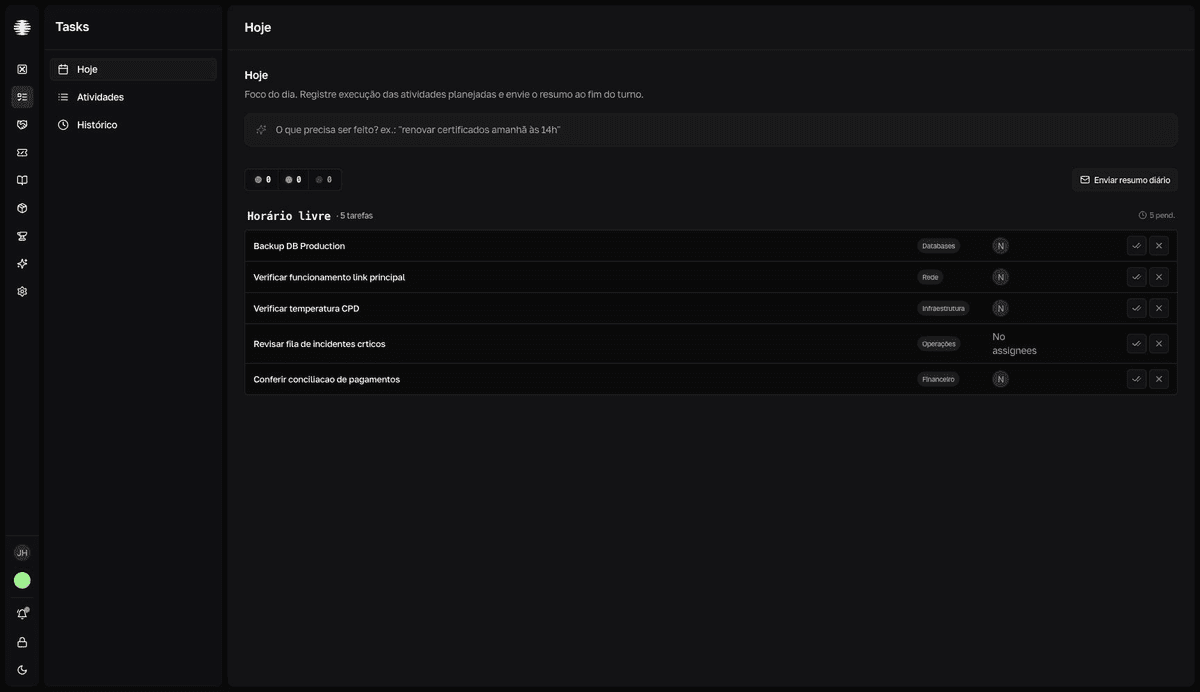
In-house IT teams running a help desk in one tool, an asset spreadsheet in another, and passwords in a shared file.Movitera puts tickets, a password vault, vendor contracts, equipment inventory, recurring tasks and a wiki in one workspace, with search that crosses all six. In practice that means the ticket “VPN broke after the macOS update” opens already linked to the user's laptop, the VPN credential, and the runbook from whoever fixed it last time — without anyone opening a second tab.
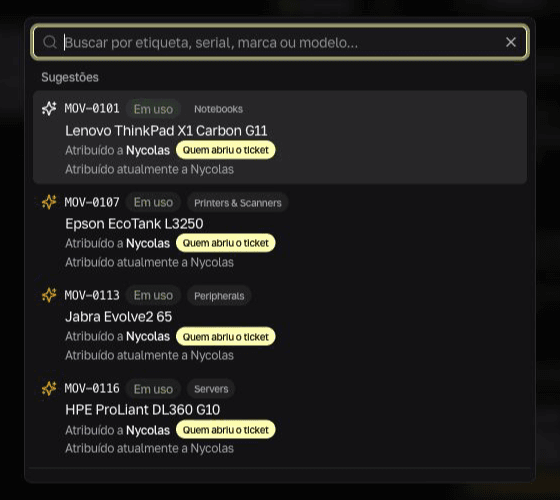 Tickets
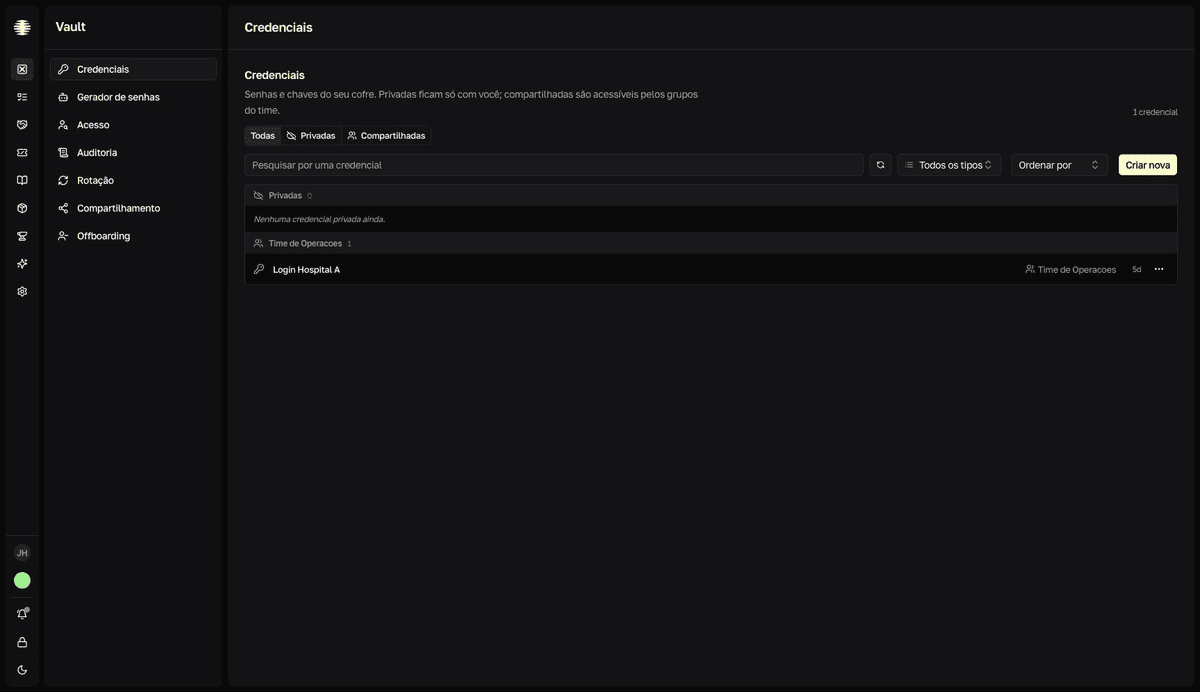 Vault
Vault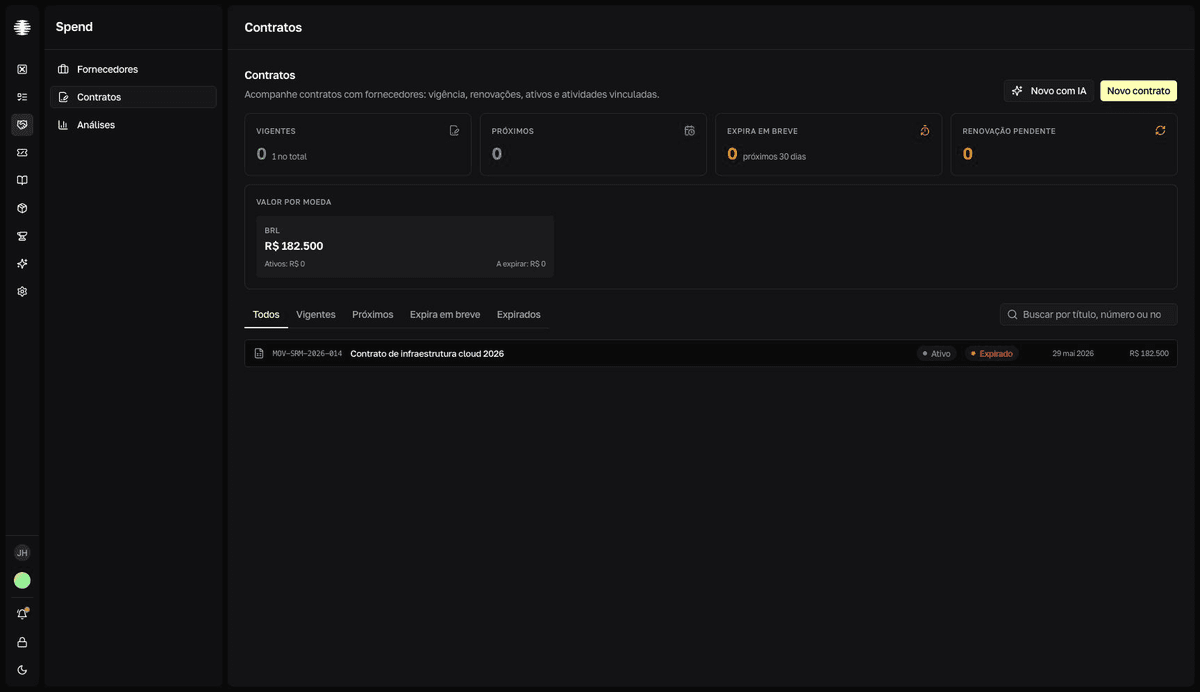 Contracts
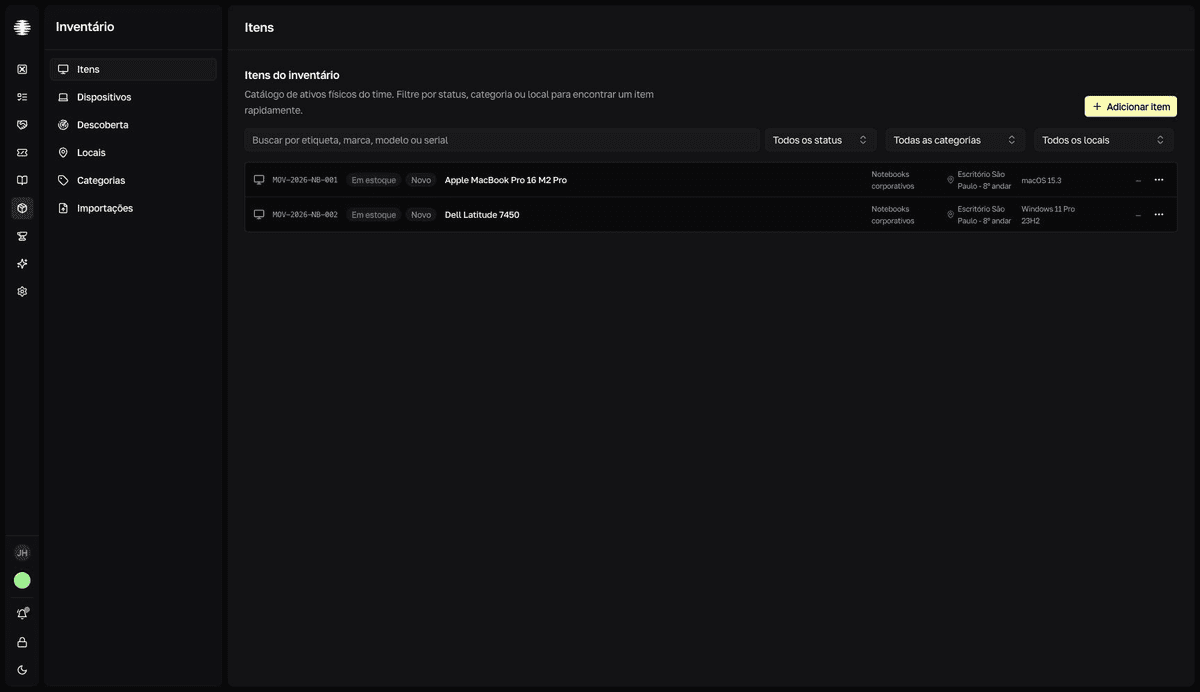 Inventory
 Routines
Linking equipment to a ticket happens inside the ticket — the search already surfaces the requester's assets. What it delivers- Ticket, asset, credential, contract and runbook on the same record, with one search across modules
- Movitera Link: remote access to the machine, hardware inventory, network discovery and firewall / disk-encryption checks — without paying for AnyDesk or TeamViewer alongside
- A password vault with an audit trail, a browser extension that fills credentials and generates TOTP codes, and a mobile app for tickets and the vault
- Full MSP operation: customers, per-contract SLA plans, time tracking, recurring / block-hour / time-and-materials agreements, and invoicing
- Per-seat pricing, and people who only file tickets do not consume a seat
- AI included in the seat with no credit pack, and the first 50 Link devices free on any paid plan
Where it stops- Billing is in Brazilian reais. Teams that need to be invoiced in their own currency should check this before shortlisting.
- Movitera Link has to be installed on a machine to inventory its hardware or open a remote session — anything without the agent stays out of reach.
- The catalogue of ready-made integrations is smaller than Atlassian's or Freshworks'; anything outside it goes through the API.
How it bills Per-seat subscription billed in Brazilian reais, from R$ 9 to R$ 129 per month depending on access level. 7 days free, no card.
See MoviteraNinjaOne
Origin: United StatesBest for
Teams that need to monitor, patch and fix a large fleet of machines.RMM done well. Monitoring, patching, backup and remote access across Windows, macOS and Linux, with a rollout measured in days rather than months. It appears on “IT management” lists constantly, but it solves a different problem from a service desk.
What it delivers- Patching and monitoring across three operating systems
- Endpoint inventory that stays current on its own
- Backup and remote access built in
- Fast deployment with no long implementation project
Where it stops- Not a service desk: tickets, SLAs and a service catalogue still need another tool.
- Per-device billing grows with the fleet, which penalises teams with many machines per technician.
- Pricing is quote-only, which makes it hard to compare before a sales conversation.
How it bills Per device per month, quote-only, with different rates for servers and workstations.
Freshservice
Origin: United States / IndiaBest for
Mid-size and larger companies that need formal ITSM in the cloud without running a server.Cloud ITSM with the ITIL processes already drawn: incident, problem, change and release arrive configured, and asset management comes along in the upper tiers. It is the common choice for a company that has outgrown spreadsheets and needs to show process to an auditor.
What it delivers- ITIL processes ready out of the box, with no modelling project
- Asset and contract management in the same product
- A well-built end-user portal, which helps adoption
- Automation and AI for triage and suggested replies
Where it stops- Much of what impresses in the demo sits in the upper tiers; check which plan holds each feature before signing.
- Interface customisation is limited for very specific requirements.
- Billed per agent, so the number moves with the size of the IT team rather than the company.
How it bills Per agent per month, in tiers, discounted on annual billing.
Jira Service Management
Origin: AustraliaBest for
Companies where IT and engineering share a backlog and the team already lives in Atlassian.Atlassian's service desk solves one problem very well: the ticket that has to become an engineering task without losing the trail. If the product team already runs Jira Software and Confluence, the marginal cost of adopting it is low and the link between an incident and the commit that fixed it comes free.
What it delivers- Native link between ticket, development board and repository
- Deep, configurable automation and workflows
- Mature service catalogue, SLAs and change management
- Confluence as an integrated knowledge base
Where it stops- Configuring it well needs someone dedicated to the tool; the flexibility charges that price.
- The real bill includes the neighbouring products — Confluence and the assets module are separate contracts.
- Non-technical users get lost in it without a curated portal.
How it bills Per agent per month, with a limited free tier for small teams and tiered paid plans.
Atera
Origin: IsraelBest for
MSPs and lean teams administering many endpoints with few technicians.Bundles RMM, PSA and help desk into one contract and bills per technician with unlimited endpoints. That model is the whole argument: looking after a thousand machines with four people costs the same as looking after a hundred.
What it delivers- Per-technician billing with unlimited devices
- RMM, patch automation and remote access in the same product as the ticket
- Fast rollout with no long project
- An AI copilot aimed at the technician's actual work
Where it stops- The model inverts against you when the team has many technicians and few devices.
- The ITSM side is shallower than in tools dedicated to process.
- The per-technician figure is high in absolute terms.
How it bills Per technician per month with unlimited endpoints. Tiers by feature depth.
HaloITSM
Origin: United KingdomBest for
Teams that want deep ITIL process without the enterprise price tag or the enterprise rollout.Unusually complete on process coverage for its tier, and it ships most modules in a single price rather than fragmenting them across add-ons. It sits between Freshservice and ServiceNow: more configurable than the first, far lighter to deploy than the second.
What it delivers- Broad ITIL practice coverage included rather than sold as modules
- Highly configurable workflows and forms
- Cloud or on-premise
- Asset management and a CMDB in the core product
Where it stops- The configurability means a real setup effort before it fits your process.
- A smaller integration ecosystem and community than Atlassian or Freshworks.
- Less brand recognition, which can matter in a procurement process you do not control.
How it bills Per agent per month, with most modules included.
SolarWinds Service Desk
Origin: United StatesBest for
Companies that want service desk and asset discovery from one vendor.Pairs a competent ITSM with genuinely strong asset discovery, which is the part most service desks treat as an afterthought. It fits organisations that already run other SolarWinds infrastructure tooling.
What it delivers- Strong automated asset discovery and a CMDB
- Incident, problem and change with a usable end-user portal
- Integrates with the wider SolarWinds monitoring line
- Contract and licence management included
Where it stops- The interface feels older than newer competitors, and it shows in end-user adoption.
- Reporting is less flexible than the category leaders.
- The wider SolarWinds relationship can pull the conversation toward a larger purchase than you came for.
How it bills Per technician per month, in tiers, with device-based components for discovery.
ManageEngine ServiceDesk Plus
Origin: IndiaBest for
Companies needing complete ITIL coverage with a genuine on-premise option.One of the most complete ITSM products by process coverage, and one of the few with a real install-in-your-datacentre option. It talks to the rest of the ManageEngine suite, which helps anyone already using their endpoint and Active Directory tooling.
What it delivers- Cloud or on-premise with reasonable feature parity
- Broad ITIL v4 process coverage
- Integrates with the rest of the ManageEngine suite
- Detailed, customisable reporting
Where it stops- Licensing has two dimensions — technicians plus managed assets — which makes next year's bill hard to predict.
- A dense interface: the technician learning curve is real.
- Several features that look included require buying another product in the suite.
How it bills Per technician annually, plus a per-asset licence when the ITAM module is used.
GLPI
Origin: FranceBest for
Teams with someone dedicated to infrastructure, a tight licence budget, and the appetite to run their own server.The most widely deployed open-source IT management platform. It covers tickets, automatic network inventory, a CMDB, licences and contracts, runs on your own server, and costs nothing to licence. Public sector and education use it heavily.
What it delivers- Free licence, with no per-user or per-asset cost
- Automatic network inventory and a CMDB in the core product
- Data entirely on your own server, which simplifies some compliance requirements
- A large community plugin catalogue
Where it stops- The cost does not disappear, it moves: someone has to maintain the server, the database, version upgrades and plugin compatibility.
- The interface and workflow have aged against cloud options, and it shows in end-user portal adoption.
- A credential vault and AI features depend on third-party plugins or external integration.
How it bills Free in the community edition. Official cloud, support and extras are paid through GLPI Network.
ServiceNow
Origin: United StatesBest for
Large enterprises with dedicated platform staff and a multi-year service management programme.The reference point for enterprise service management, and the tool everything else on this list gets compared against in a procurement document. Its depth is real, and so is what it takes to realise it: ServiceNow is a platform you staff, not a product you switch on.
What it delivers- The deepest process, workflow and integration coverage in the category
- Extends well beyond IT into HR, facilities and finance
- A mature partner and developer ecosystem
- Enterprise-grade governance, compliance and reporting
Where it stops- Cost and implementation effort put it out of reach for small and mid-size teams.
- It usually requires dedicated in-house platform administrators or a permanent partner.
- Time to first resolved ticket is measured in months, not days.
How it bills Enterprise licensing, quote-only, typically per fulfiller with platform and module components.
All ten on one screen
For readers who already know what they are looking for.
| Tool | Best for | How it bills |
|---|---|---|
| Movitera | In-house IT teams consolidating tools | Per seat, billed in BRL |
| NinjaOne | Monitoring and patching a large fleet | Per device, quote-only |
| Freshservice | Mid-market ITSM in the cloud | Per agent, per month |
| Jira Service Management | Teams already inside Atlassian | Per agent, free tier available |
| Atera | Few technicians, many endpoints | Per technician, unlimited endpoints |
| HaloITSM | Deep ITIL without enterprise cost | Per agent, most modules included |
| SolarWinds Service Desk | Service desk plus asset discovery | Per technician, plus device components |
| ManageEngine ServiceDesk Plus | Full ITIL with on-premise option | Per technician + per managed asset |
| GLPI | Zero licence budget, own server | Free; paid cloud and support |
| ServiceNow | Large enterprise programmes | Enterprise licensing, quote-only |
Billing models verified July 2026. List prices change often and vary by region and volume — confirm with each vendor before deciding.
Which of these fits you
Five situations that cover most purchases.
- In-house IT team, requests arriving over Slack and email, assets on a spreadsheet, passwords scattered
- Movitera or Freshservice. Movitera goes further on credentials and contracts in one workspace; Freshservice goes further on formal ITIL process and bills in your own currency.
- You sell IT support to multiple clients
- Movitera, Atera or NinjaOne. Movitera covers the whole MSP loop — customers, per-contract SLA plans, time tracking, block-hour and time-and-materials agreements, invoicing, and remote access built in. Between the other two, the deciding factor is your technician-to-device ratio.
- The company already runs on Jira and Confluence
- Jira Service Management. Adopting anything else means rebuilding integrations that already exist here.
- An audit or contract requires documented ITIL process
- HaloITSM, Freshservice or ManageEngine ServiceDesk Plus. All three ship the formal process ready; ManageEngine is the one with a real on-premise option.
- Zero licence budget and someone on the team who enjoys servers
- GLPI. Just do the maintenance-hours maths first — on small teams those hours usually cost more than the licence you saved.
Frequently asked
What people ask before deciding.
See the whole operation in one place
Tickets, password vault, contracts, inventory and runbooks in the same workspace. 7 days free, no card.