Keep the team's routine on track in Tasks
Tasks organizes the team's operational checklist. You define tasks — routines that repeat or one-time tasks with a set date — log OK or NOK at each scheduled time, and track how reliably the team keeps what was agreed.
The model: task, time, record
A task is something the team needs to do. It can be a routine (Recorrente, recurring), repeating on days of the week or month, or Pontual (one-time), with a single date. Every task has a category, assignees, and times — with no time set, it counts for any time of day. On each scheduled day and time, someone logs the result: that is the record.
| Term | What it is |
|---|---|
Pontual (one-time) | A task with a single date. It moves through Em breve (upcoming), Pendente (pending), Concluída (completed), or Atrasada (overdue). |
Rotina / Recorrente (routine / recurring) | A task that repeats on days of the week or month, at the set times. |
| Record | The result of one time on one day: OK, NOK, or — until someone logs it — Pendente (pending). |
Responsáveis (assignees) | Who does and logs the task. They are the ones who receive the email reminders. |
Categoria (category) | A label that groups the team's tasks. Created by the team itself, right in the form. |
Confiab. 30d (30-day reliability) | The percentage of OK records for a routine over the last 30 days. |
In the product, lists say atividade (activity) and forms say tarefa (task) — they are the same thing. This documentation says task.
The three screens
| Screen | What it's for |
|---|---|
Today | Log the day: everything due today, with OK and NOK buttons per time. See Log the day. |
Activities | Define and maintain tasks: create, edit, delete, and read the routines' Confiab. 30d (30-day reliability) column. See Create a task. |
History | Audit past execution by Dia (day), Semana (week), or Mês (month). See Review the history. |
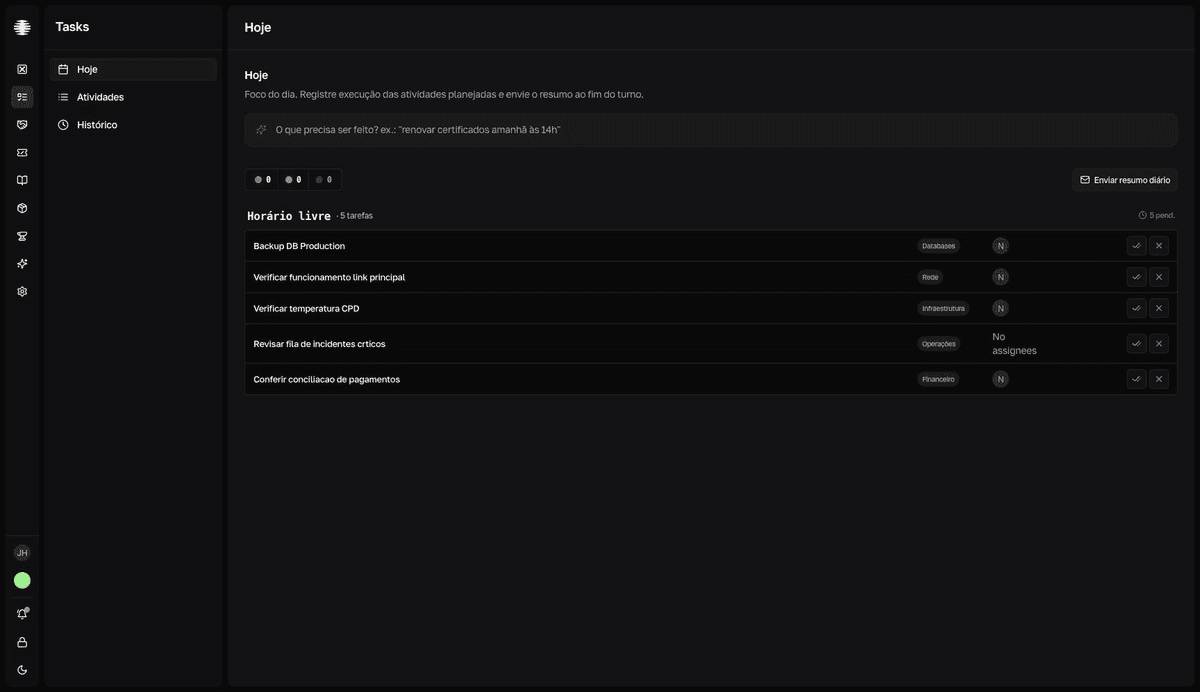
The cycle of a day
- Assignees receive email reminders before the time and when a time passes with no record.
- During the shift, the team logs
OKorNOKat each time on theTodayscreen. - At the end of the shift, someone clicks
Enviar resumo diário(Send daily summary) and the team receives the closing of the day by email — see Send the daily summary. - Reliability and history accumulate these records. Days with no record count against the number — logging
NOKbeats leaving it blank.
Who can use it
Tasks appears in the app menu when the team's plan includes the module, and each member is granted access in the team settings. Inside the module, everyone with access creates, edits, and logs tasks. See Who can use Tasks.