Use Muse to query team data with AI
Muse is Movitera®'s AI assistant. It chats with Anthropic, OpenAI, and Google models using the team's own API key, queries the enabled modules, and cites the sources behind every answer.
How Muse works
An administrator saves an AI provider key, which makes models available to the team. Each user chooses a model, starts a conversation, and sends messages. Muse doesn't roam your data freely: each enabled skill allows querying one specific module, and the user still needs permission in that module to receive results.
From any module, the command palette (⌘K) lets you ask Muse without opening Chat first.
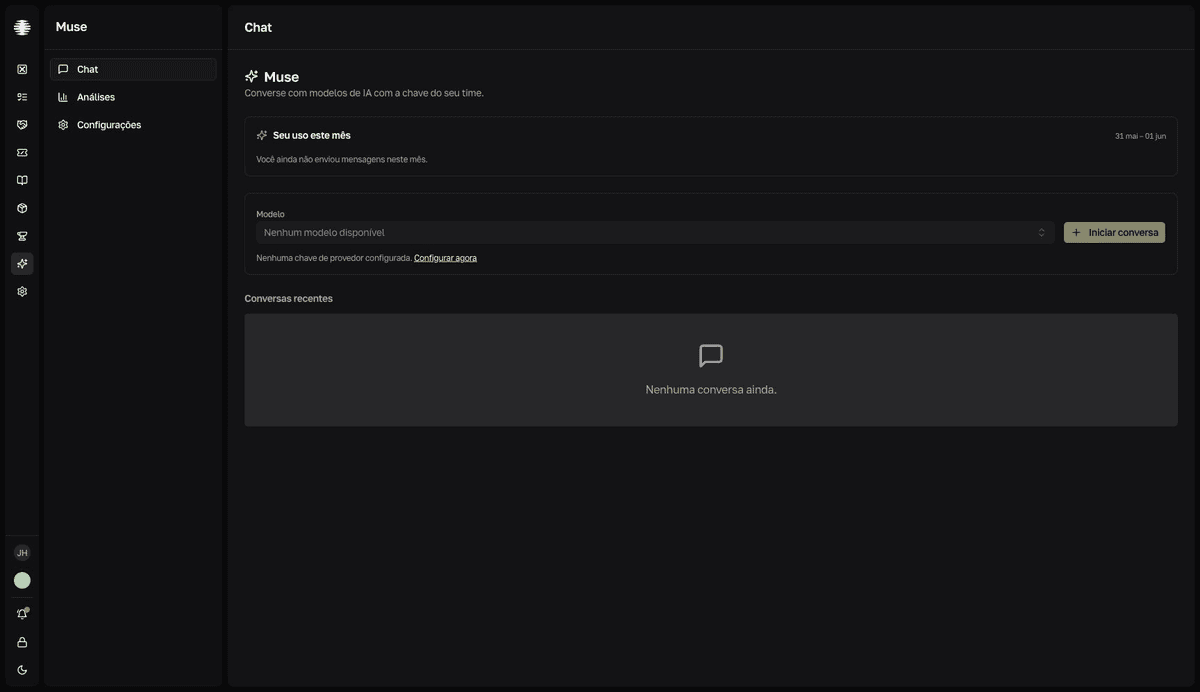
The key belongs to your team
Muse has no billing of its own. The team pastes its own Anthropic, OpenAI, or Google API key and pays for usage directly to the provider, in US dollars (USD). Granting Muse access doesn't change the billed seat on the Movitera® invoice. Administrators track spend in Analytics and can set monthly limits.
What Muse can query
| Skill | Can query |
|---|---|
| Closure | Tickets, categories, and SLAs. |
| Vault | Credentials, contracts, and vendors. Passwords are never revealed. |
| SRM | Vendors and business relationships. |
| Forge | Issues, initiatives, and roadmap. |
| Tasks | Activities and tasks assigned in the team. |
| Inventory | Assets, warranties, and equipment. |
| Wiki | Spaces, folders, and pages. Required for proposing page drafts. |
Read, propose, execute
- Query — Muse reads the enabled modules and cites every record it used in the answer's
Fontes(Sources) section. - Activity — a collapsible panel shows the model's reasoning and the queries made while answering.
- Proposal — when approval-based actions are enabled, Muse suggests a change in a card inside the conversation.
- Execution — nothing changes without the explicit approval of whoever is in the conversation.
Who sees what
Access is set per member, in the Acesso ao Muse (Muse access) field. With Sem acesso (No access), the app stays hidden. Usuário (User) uses Chat. Administrador (Administrator) also sees Analytics and Settings — home to the keys, the skills, the approval-based actions, and the limits.