Keep your team's secrets in Vault
Vault is where your team keeps credentials in one place, instead of scattering them across spreadsheets and chats. Each credential is a named secret you can share, rotate, and audit.
What a credential is
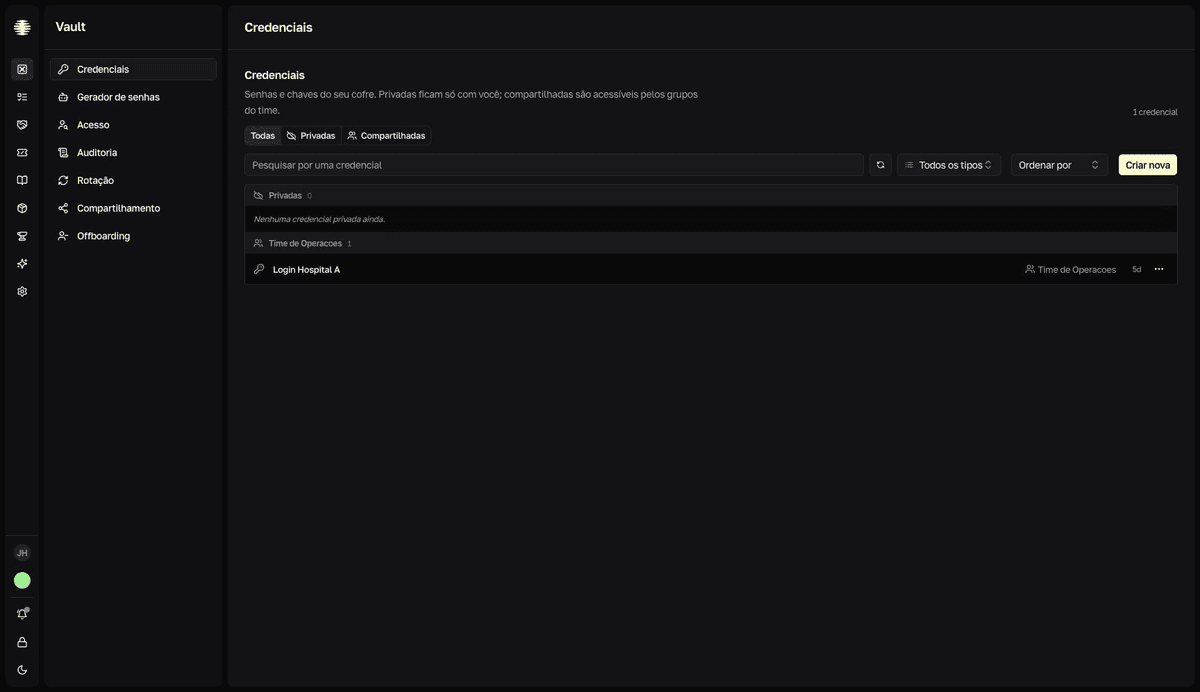
A credential is a named secret stored in Vault — a website login, a set of environment variables, or a note with key/value pairs. Each credential has fields (Campos): encrypted key/value pairs. Open Credentials in the Vault sidebar to create, search, and organize everything.
The three credential types
Each credential has a type (Tipo), chosen at creation. The type defines which fields appear and which Movitera® tool consumes the secret.
| Type | What for | Who consumes it |
|---|---|---|
Login | A site's username and password, with the URL. | The extension fills the login in the browser. |
Env | A set of environment variables. | The CLI injects the variables into your process. |
Nota | Notes, API keys, any key/value pair. | You, by copying the value when you need it. |
You store the secret once in Vault and use it at any end. The extension and the CLI connect to the vault with an access token.
Private or shared
A credential with no groups is private: only you see it, marked Privada (private). To share it, add the credential to one or more groups (Grupos) — at creation or later — and every member of those groups can then see it. There is no person-to-person internal sharing: the group is the unit of access. See Who sees what in Vault.
In a personal team there are no groups: Vault works as a private list, without the Todas (all), Privadas (private), and Compartilhadas (shared) filters.
Security and audit
Values stay encrypted and appear hidden (••••••••) until you click Revelar valor (Reveal value). Every reveal — and every copy of a hidden value — is recorded in the team's audit log. Vault managers get dedicated governance screens: Access, Audit log, Rotation, Sharing, and Offboarding. Non-managers don't see them in the navigation.