Share a credential
Give access to a credential without passing the password around in plain text. Use groups for ongoing access inside the team, or a single-use link for a one-off handoff to someone outside.
Share with a group
Whoever is in a group sees that group's credentials — this is Vault's only internal sharing; there is no person-to-person sharing. Groups are created in Groups, in the team settings.
- 1
Open the credential in `Credentials`.
Click the credential's row. The panel opens on the
Detalhes(details) tab. - 2
In the `Grupos` (groups) section, click the pencil icon.
The section enters edit mode, with the
Adicionar grupo(add group) selector and the current groups as removable badges. - 3
Add or remove groups and click `Salvar` (save).
resultToast "Grupos editados com sucesso" (groups updated) — members of those groups can now see the credential.
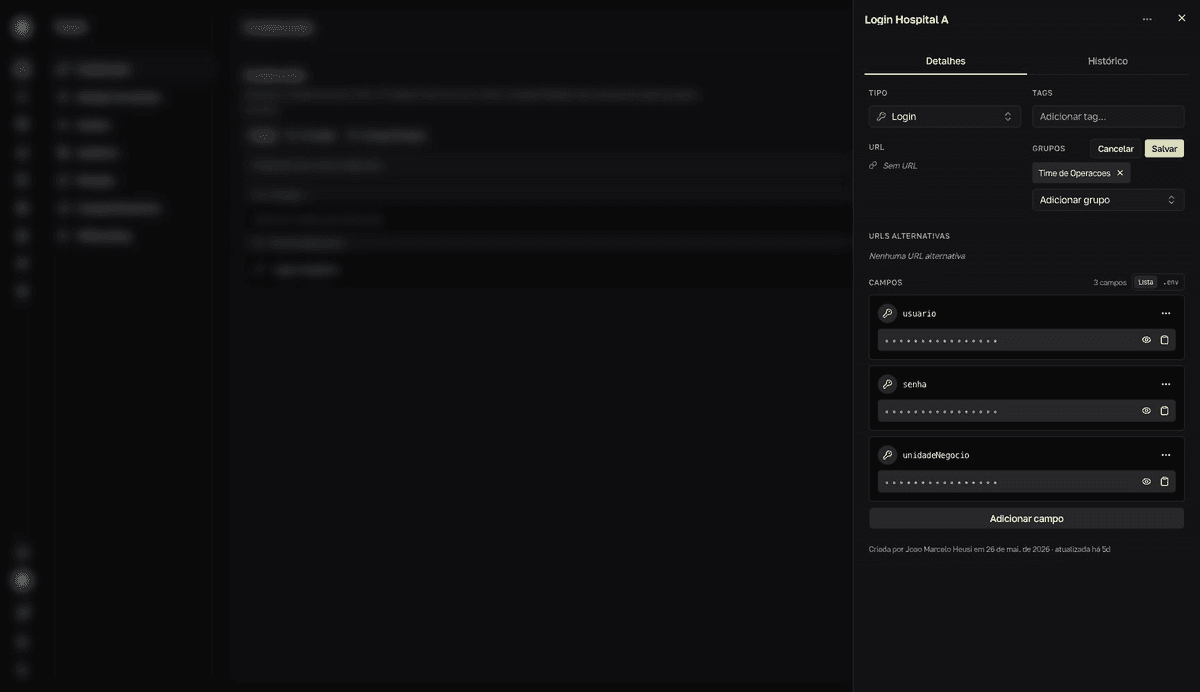
To remove a group's access, remove its badge in the same section and save. To review who sees what across the whole team, managers use Sharing.
Generate a single-use link
For a one-off handoff — a vendor, someone without a Movitera® account — generate a link that shows the credential a single time and then invalidates itself.
- 1
On the credential's row, open the `⋯` menu and click `Compartilhar` (share).
The
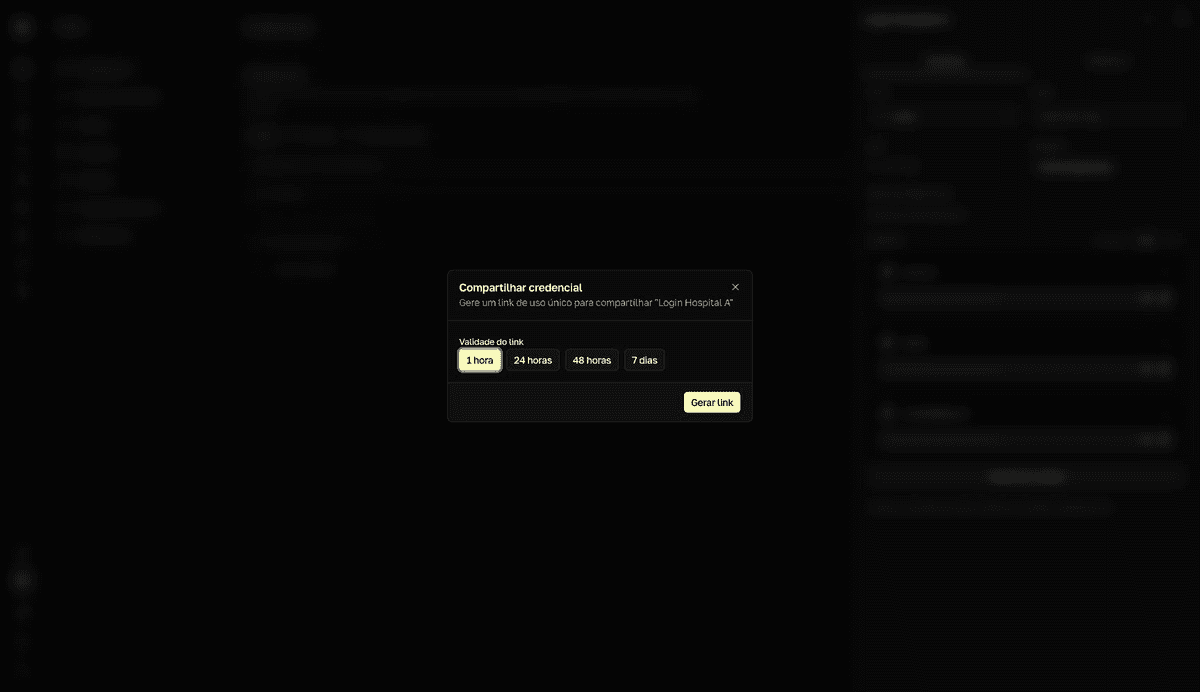
Compartilhar credencial(share credential) dialog opens. The option is also in the⋯menu of the credential panel. - 2
Choose the `Validade do link` (link validity): `1 hora`, `24 horas`, `48 horas`, or `7 dias` (1 hour, 24 hours, 48 hours, or 7 days).
After that period the link expires even if it was never opened.
- 3
Click `Gerar link` (generate link) and then `Copiar link` (copy link).
The dialog shows the URL, the
Link de uso único(single-use link) warning, and the date under "Expira em" (expires on). Closing the dialog removes the link from the screen, but it stays valid until it is used, expires, or is revoked.resultToast "Link copiado para a área de transferência" (link copied) — send the link to the person.
Opening the link consumes it
The first access invalidates the link — reloading the page shows "Link expirado ou já utilizado" (link expired or already used). URL previews in chat apps can consume the link before the recipient. Send it through a channel without previews, tell the person to copy the values on the first visit, and if the link burns, generate another.
What the recipient sees
The link opens a public page, with no sign-in: the credential's name, the URL, and the fields with values in plain text, each with a copy button, plus Copiar como .env (copy as .env) to take everything at once. The page itself says the link was invalidated after the access.
Sent it to the wrong person? While the link hasn't been opened, a manager can revoke it in Sharing → Links externos (external links).