Open a ticket
Log a request in Closure so it enters the team's queue with a code, a category, and a history — instead of getting lost in a message.
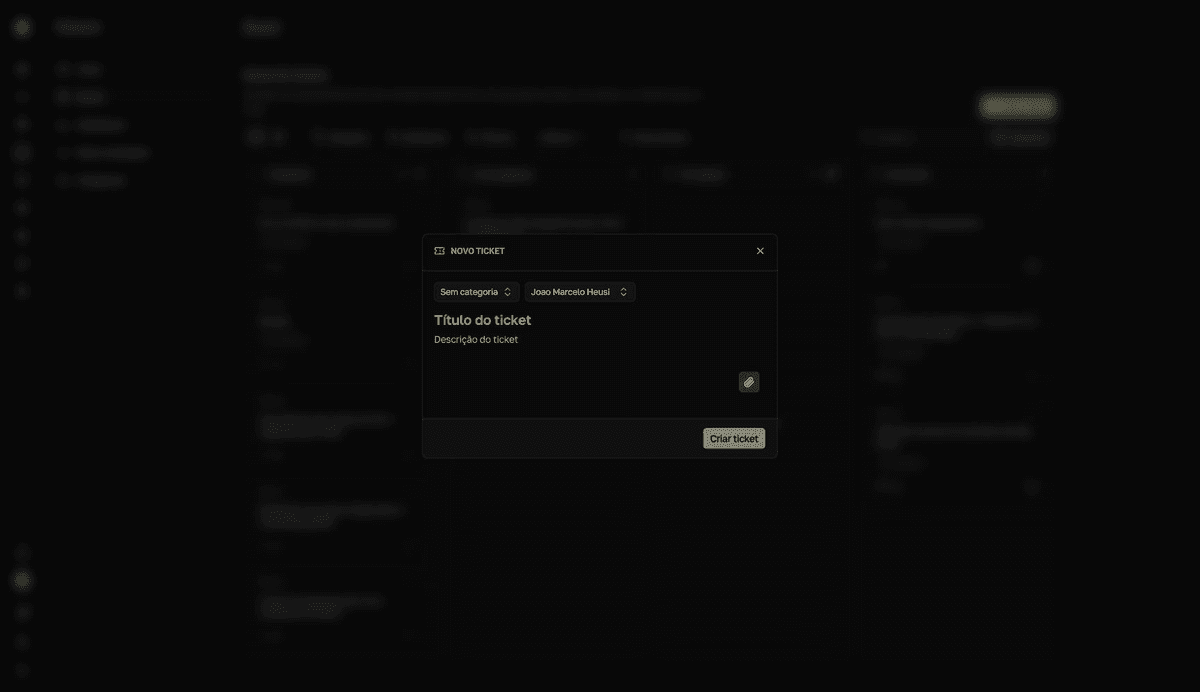
Create the ticket
- 1
Click `Novo ticket` (New ticket).
The button sits at the top of
Meus chamados(My tickets) — and theNovo chamado(New ticket) command in the quick search (Cmd+K) works on any Closure page. Technicians can also use the+in thePendente(Pending) column on the board. - 2
Choose the `Categoria` (Category).
The category is required. It defines the
Campos adicionais(additional fields) that appear on the form and the ticket's SLA. TheTipo(Type) field next to it stays onAutomático(Automatic) — inheriting the category's default — and can be changed toIncidente(Incident, something that stopped working) orRequisição(Requisition, a planned service request). Fields marked as required block submission until you fill them in. - 3
Give it a title and describe the request.
The description becomes the first message in the ticket's chat — include what happened, since when, and what you already tried.
- 4
Attach evidence.
Use the paperclip to attach files, or paste images straight into the form with
Ctrl/Cmd + V. The files appear listed underAnexos(Attachments). - 5
Click `Criar ticket` (Create ticket).
The button only enables once title, description, and category are filled in.
resultToast "Ticket criado com sucesso" (Ticket created successfully). The ticket enters as Pendente with a TKT code and, in My tickets, opens right away for you to track.
What you don't set when opening
Priority, severity, assigned technician, and due date are set by technicians during triage. Every ticket starts with Normal priority.
The category controls fields and SLA
The additional fields and the SLA deadline come from the chosen category. If a field or a category is missing, ask a technician to adjust it in Categorias (Categories).
Open on someone else's behalf
Technicians and supervisors see the Solicitante (Requester) field on the form and can open the ticket on behalf of whoever asked — over the phone or at the desk, for example. The ticket stays linked to the chosen requester, who then tracks it in Meus chamados.
If the category allows asset linking, the Ativos afetados (Affected assets) section also appears on the form — link the affected devices to speed up the diagnosis.