Assign, return, and track the history
Hand an asset to a person, take it back into stock, and see every change recorded — assignment lives on the asset detail, in the Atribuições (Assignments) and Histórico (History) tabs.
Assign the asset
- 1
Open the asset in `Items` and click `Atribuir` (Assign).
The "Atribuir item" (Assign item) dialog opens. If the button shown is
Devolver item(Return item), the asset already has an active assignment — return it before assigning again. - 2
Choose the assignment type.
Usuário(User) — select the person underAtribuído a(Assigned to).Departamento(Department) — enter theNome do departamento(Department name — for example, "TI").Estoque(Stock) — enter theID do estoque(Stock ID — for example, "EST-001"). Without a recipient, the form answers "O destinatário é obrigatório" (recipient is required). - 3
Confirm the location, add notes, and click `Atribuir item` (Assign item).
resultToast "Atribuição criada com sucesso" (Assignment created successfully). The asset header now shows "Atribuído a {nome}" (Assigned to {name}).
Assigning an asset is not assigning a teammate
This page covers assigning the asset to whoever uses it. Atribuir colaborador (Assign teammate), on the devices page, sets who answers for a Movitera Link device — see Track the team's devices. And Vincular (Link) ties a device to an asset — see Link a device to an asset.
Return the asset
- 1
On the asset detail, click `Devolver item` (Return item).
The "Devolver este item?" (Return this asset?) confirmation explains: "Isso marcará a atribuição atual como devolvida." (this marks the current assignment as returned).
- 2
Confirm with `Devolver item` (Return item).
resultToast "Atribuição devolvida com sucesso" (Assignment returned successfully). The asset can take a new assignment again.
Follow the Assignments and History tabs
The Atribuições (Assignments) tab shows the "Atribuição atual" (Current assignment) card and the table with every assignment — who received it, who assigned it, when, and the return date; the current one is marked "Ativo" (Active). The Histórico (History) tab is the asset's complete auditable trail: every action — Criado (Created), Atualizado (Updated), Atribuído (Assigned), Desatribuído (Unassigned), Status alterado (Status changed), Local alterado (Location changed), Manutenção registrada (Maintenance logged), Desativado (Decommissioned), Descartado (Disposed) — with the date, the author, and the values that changed.
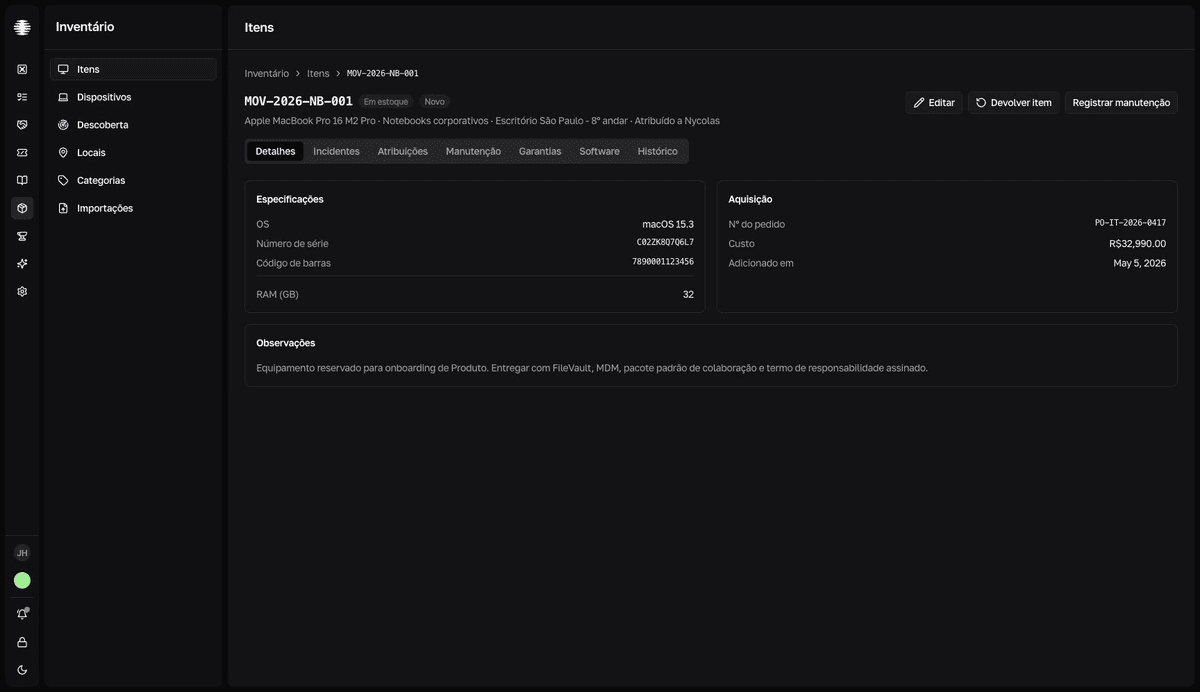
To change the status as the asset moves — from Em uso (In use) to Em reparo (In repair), for example — use Editar (Edit) in the asset header. Every status change enters the History.